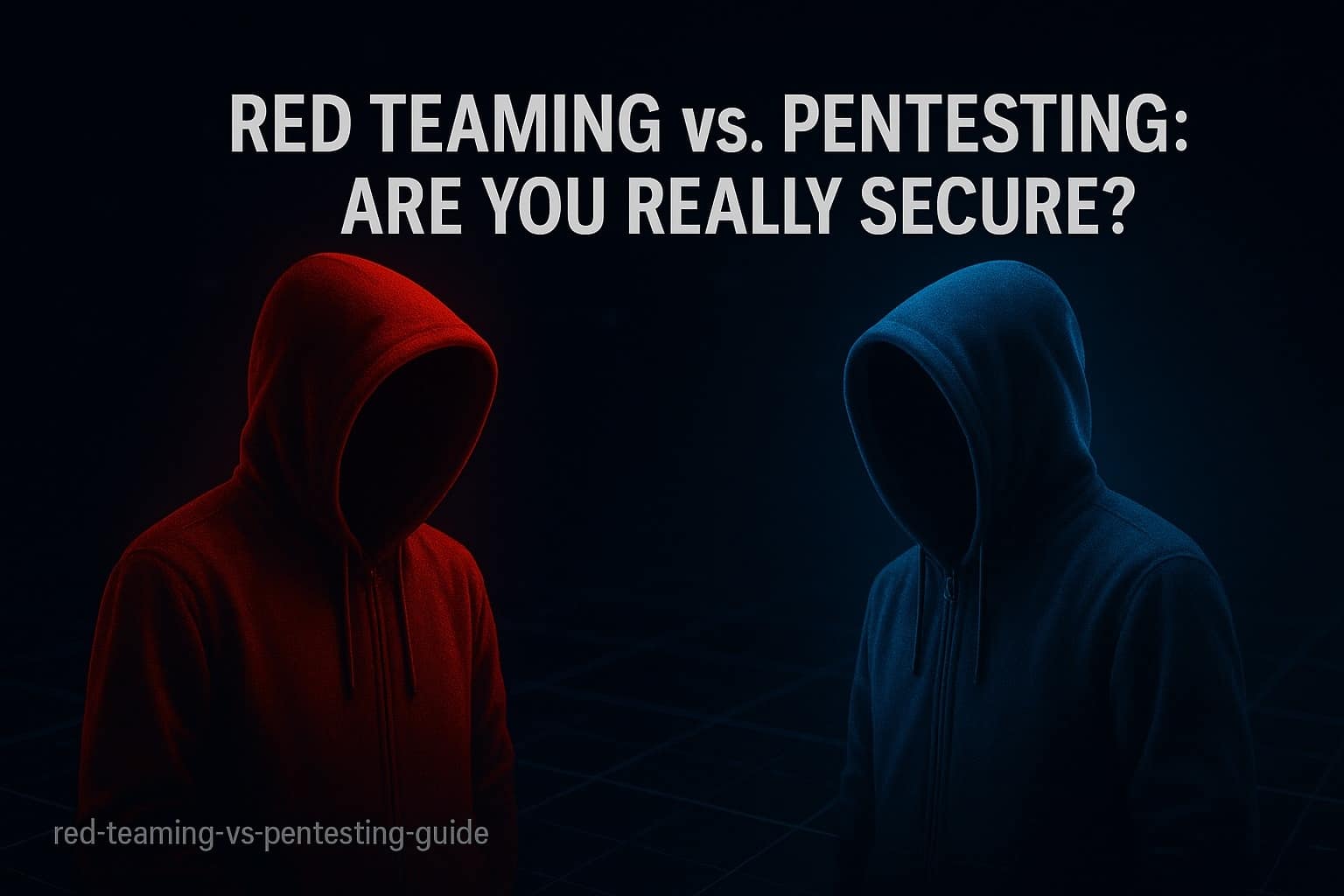
Red Teaming vs. Pentesting: Are You Really Secure?
Think your annual pentest keeps you secure? Discover what Red Teaming is, how it differs from pentesting, and why it's the ultimate test of your security posture.
Posted by Satvik Vemulapalli
Founder, HackOps GITAM & Offensive Security Researcher
Beyond the Checklist: Are You Really Secure? A Deep Dive into Red Teaming
We’ve all seen the movies. A hacker in a dark hoodie furiously typing, green text scrolling down a black screen, and boom... they’re "in." In the real world, cybersecurity isn't a quick sprint; it's a constant chess match between attackers (black hats) and defenders (white hats).
Here at HackOps GITAM, we talk to a lot of students and businesses who believe they're secure. "We run scans every month!" they say. "We just passed our annual penetration test!"
That’s great. But what if I told you that’s like checking that all the windows and doors are locked, while a team of thieves is already in the basement, patiently tunneling toward the vault?
Most security tests are like a scheduled fire drill. Everyone knows it's coming, they follow the procedure, and a manager ticks a box. But what happens when a real fire breaks out at 3 AM? A fire that tries to be silent, to smolder, to spread without setting off any alarms?
This is the exact question that Red Teaming was created to answer. Welcome to the world of real-world attack simulation.
Part 1: The "Standard" Security Check-up (And Its Limits)
Before we can understand the "why" of red teaming, we have to understand what it isn't. Most companies rely on two primary forms of security testing: Vulnerability Assessments and Penetration Tests.
🎯 Vulnerability Assessments: The Wide Net
A vulnerability assessment (VA) is the broadest, simplest form of testing.
- What it is: A largely automated scan that looks for known vulnerabilities. Think of it as a security tool running down a massive checklist for thousands of known "weak spots" (like outdated software, missing patches, or default passwords).
- The Goal: Breadth. To find as many potential security holes as possible across as many systems as possible.
- The Problem: This scan is loud. It's like banging on every door and window, so it sets off every alarm. Plus, it doesn't confirm if a vulnerability is actually exploitable. It’s like a report that says, "The front door lock is a Model-T, which is known to be pickable." It doesn't tell you if someone can pick it, or what they could do once inside.
🎯 Penetration Tests: The "Can I Break In?"
A penetration test (or "pentest") is the logical next step. It takes the "what if" from the VA and turns it into "can I?"
- What it is: A human-led effort to actively exploit the vulnerabilities found in a VA. The pentester's job is to find a flaw, break in, and see how far they can get. Can they "pop a shell"? Can they get administrator rights on one machine?
- The Goal: Depth and impact. To prove that a vulnerability is a real threat and show what an attacker could do with it (e.g., "We used the Model-T lock to get into the lobby").
- The Problem (The Big One): A pentest is still a drill.
- It’s LOUD: Pentesters aren't trying to be quiet. They are on the clock (usually 1-2 weeks) and need to find all the holes. They'll scan everything, try every attack, and make a ton of noise that any decent security team will see.
- It Has Rules: The defenders (the "Blue Team") know the test is happening. They might even "allowlist" the pentesters' IP addresses so they don't get blocked by the firewall.
- It’s Limited: It typically focuses on technical flaws and often ignores the biggest vulnerability of all: people.
A pentest answers the question: "Can a skilled attacker break our technology?"
A red team engagement answers the question: "Can our organization - our people, our processes, and our technology - detect and respond to a silent, motivated attacker trying to achieve a specific goal?"
Part 2: The Main Event: What is a Red Team Engagement?
If a pentest is a fire drill, a red team engagement is a surprise simulation of a real, developing fire.
A Red Team Engagement is a goal-oriented mission that emulates a real-world attacker to test an organization's detection and response capabilities.
Let's break that down.
- Goal-Oriented: The red team isn't told to "find all vulnerabilities." They are given a specific objective, a "crown jewel." For example: "Steal the 'Gitam-Bank' customer database" or "Gain access to the lead research professor's email."
- Emulates an Attacker: This is the key. The red team doesn't just try random exploits. They adopt the mindset of a real adversary. This means they are STEALTHY. Their number one priority is to not get caught. They will move slowly. They will be patient. They will use social engineering (phishing, phone calls) and even physical intrusion (cloning badges, lockpicking) if it's in scope.
- Tests Detection & Response: The test isn't just for the technology; it's for the defenders. The red team's job is to see if the Blue Team can detect the subtle, slow-moving attack and then respond effectively to stop it.
The objective is not to "beat" the blue team. The objective is to provide a realistic training opportunity. Every time the blue team detects and blocks a red team technique, it's a "win" for the organization.
Part 3: The Players of the Game
A red team engagement isn't just one team. It's a coordinated effort between three distinct groups.
-
🔴 The Red Team (The "Attackers"):
This is the offensive cell. They are the "bad guys" for the duration of the engagement. Their job is to plan and execute the attack, bypass all security controls, and achieve the objective, all while remaining undetected. -
🔵 The Blue Team (The "Defenders"):
This is the organization's internal security team - the Security Operations Center (SOC) analysts, the IT admins. They are the ones on the front lines, monitoring the network 24/7. In a pure engagement, the Blue Team does not know the test is happening. They just see what looks like a real, sophisticated attack unfolding. -
⚪ The White Team (The "Referees"):
This is the small, trusted group of managers and leaders (like the CISO or IT Director) who are in on the secret. They are the referees. They set the Rules of Engagement (ROE), monitor the test to ensure no real damage is done, and act as the bridge between the red and blue teams. If the red team is about to do something that could actually crash a critical server, the white team steps in.
Part 4: The Anatomy of a "Heist": The Red Team Kill Chain
So, how does this actually work? Red teams follow a structured process, often based on a "Cyber Kill Chain," like the famous one from Lockheed Martin. Let's walk through a fictional engagement where the HackOps GITAM Red Team is tasked with compromising the "Gitam-Bank" intranet server.
Phase 1: Planning
The White Team and Red Team leads meet. The "crown jewel" is defined: "Gain administrator access to the Intranet Server (INT-SRV-01)." The Rules of Engagement are set: No destructive attacks, no social engineering against the CEO. The engagement is set for 6 weeks.
Phase 2: Reconnaissance (Casing the Joint)
The Red Team spends a week just looking. They don't touch the bank's servers. They use public information (OSINT) to build a map.
- They scrape LinkedIn for employee names. They find a pattern:
firstname.lastname@gitam-bank.com. - They find public photos from a company event, identifying the brand of laptops and even employee access badges.
- They discover the bank uses a specific VPN portal and a cloud email provider.
Phase 3: Weaponization (Building the Tools)
The Red Team decides their entry point will be a phishing email. They build a malicious Microsoft Word document. It's not some generic "You've won the lottery!" email. It’s a sophisticated file that, when opened, will run a tiny, hidden bit of code to give them a backdoor. They run it through dozens of antivirus tools to make sure it's 100% undetected.
Phase 4: Delivery (Sending the "Gift")
The team sends a targeted "spear-phishing" email to 20 employees in the accounting department. The email looks like it's from the IT department, with the subject "URGENT: New VPN Client Update Required." It instructs employees to open the attached Word doc to install the "update."
Phase 5: Exploitation (The "Gotcha")
One employee, "Bob," opens the document. He sees a blurry "Loading..." message, gets bored, and closes it. But it's too late. The malicious code has run. The Red Team's attack was successful. A connection is made from Bob's computer ("BOB-PC") to a server the Red Team controls. They have a foothold.
Phase 6: Installation (Setting up Shop)
The Red Team is in, but they're on a single, low-level computer. They need to make their access persistent. They install a small, hidden "implant" that will reconnect to them every day, even if Bob reboots his PC. They then use tools to dump password "hashes" from BOB-PC's memory. They get lucky: a local administrator's hash is on the machine.
Phase 7: Command & Control (Phoning Home)
All this activity is disguised. The implant doesn't send big, obvious data packets. It communicates back to the Red Team's C2 server by hiding its traffic to look like normal web browsing. To the Blue Team's firewalls, it just looks like Bob's PC is visiting a random website.
Phase 8: Actions on Objectives (Moving to the Vault)
This is where the Red Team moves laterally (sideways) through the network.
- Using the admin hash they stole, they try to log into other machines.
- The hash works on "DBA-PC," a database administrator's workstation. Jackpot.
- From DBA-PC, they can see the intranet server,
INT-SRV-01. The firewall rules allow the database admin to connect. - The Red Team pivots from BOB-PC to DBA-PC, and then finally connects to the intranet server. They escalate their privileges and have full admin control.
Goal achieved. The Red Team takes a screenshot as proof and quietly terminates their connections. The next day, the White Team calls a meeting with the Blue Team...
Part 5: The Debrief: Why Did We Do This?
The most important part of the engagement is the "debrief," where all three teams sit down. The Red Team presents a full timeline: "At 10:05 AM on Monday, we sent the email. At 10:08, Bob clicked. At 10:09, we had access."
The Blue Team is often shocked. "We didn't see any of that. Our antivirus didn't catch the file. Our firewall didn't flag the C2 traffic."
This isn't a failure. It's a priceless learning opportunity. Now, the organization knows exactly where its blind spots are.
- People: Bob needs better phishing training.
- Process: Why was a local admin hash just sitting in memory on Bob's PC? New security policies are needed.
- Technology: The firewall needs to be configured to catch this kind of hidden C2 traffic. The antivirus needs to be upgraded.
Red Team vs. Pentest: The Final Showdown
Here, in the simplest terms, is the difference.
| Feature | Penetration Test (The "Drill") | Red Team Engagement (The "Real War") |
|---|---|---|
| Objective | Find as many vulnerabilities as possible. | Achieve a specific goal (e.g., steal data). |
| Scope | Broad. Scan everything in scope. | Narrow. Only touch what's needed to reach the goal. |
| Stealth | Loud. Noisy scans are fine. | Stealthy. Avoid detection at all costs. |
| Awareness | Blue Team knows it's happening. | Blue Team does not know it's happening. |
| Focus | Technology. (Are our systems vulnerable?) | People, Process, & Technology. (Can we detect and respond to a real attack?) |
| Timeframe | Short, well-defined (e.g., 1-2 weeks). | Longer, more flexible (e.g., 1-3 months). |
The Cliffhanger: Who Are We Pretending to Be?
Red Teaming is the closest we can get to feeling the heat of a real attack without getting burned. It's the ultimate test of a company's defenses.
But this opens up a new, more advanced question. It's one thing to act like a generic hacker. It's another to act like a specific one.
In the world of cybersecurity, the most dangerous "bad guys" aren't individuals. They are Advanced Persistent Threats (APTs) - highly skilled, well-funded, and incredibly patient groups, often sponsored by nation-states or organized crime. These groups don't just "hack"; they conduct long-term campaigns to achieve strategic goals.
And they all have their own unique "playbook" - their signature methods for breaking in, moving around, and stealing data. We call this playbook their Tactics, Techniques, and Procedures (TTPs).
The true art of advanced red teaming isn't just "breaking in." It's "breaking in exactly like APT-29 would." But how do we know their playbook? And how can a blue team learn to spot the signature of a specific, real-world enemy?
We'll dive into the world of APT Emulation and TTPs in our next post. Stay vigilant.
- Satvik Vemulapalli
Enjoyed this report?
If it helped, like it and pass it on to someone who needs it.
 cybersecurityFeatured
OWASP Top 10 2025: The 10 Deadly Web Traps Even Your Grandma Could Fall Into (And How to Escape Them)
Discover the OWASP Top 10 2025 . From broken locks to poisoned code, learn the biggest web security dangers - explained like a bedtime story. Perfect for beginners, developers, and anyone who uses the internet.
 WebFeatured
Web Requests Cheat Sheet: Mastering cURL, APIs, and DevTools for Bug Bounties
Hey, cyber sleuths! If you're diving into bug bounty hunting or sharpening your skills as a penetration tester, understanding web requests is your secret weapon. Tools like cURL let you poke, prod, and probe web applications with precision, uncovering vulnerabilities that automated scanners might miss. This blog takes the classic web requests cheat sheet—covering cURL commands, API interactions, and Browser DevTools shortcuts—and expands it with in-depth explanations. We'll dive into why each flag or technique is used, its core description, and how it fits into real-world scenarios. Plus, I'll throw in some advanced cURL techniques tailored for bug bounties, drawn from proven methodologies. Whether you're a junior SOC analyst monitoring traffic or a bug hunter chasing bounties, let's break it down step by step!
 Web
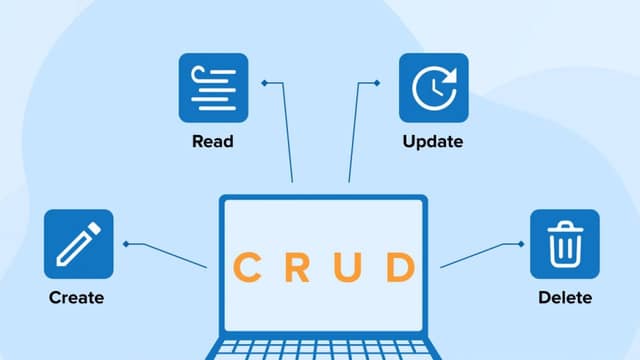
CRUD API Operations HTB
Hey, cyber warriors! Ready to dive into the world of APIs? In the **Web Requests** TryHackMe room, the **CRUD API** section explores how web applications use APIs to interact with databases, letting you create, read, update, and delete data with HTTP methods. This is like wielding a Swiss Army knife for web data manipulation—essential for SOC analysts spotting malicious API calls or pentesters exploiting misconfigured endpoints. We’ll break down the CRUD operations (Create, Read, Update, Delete), walk through TryHackMe’s hands-on tasks, and sprinkle in real-world examples and research to keep it practical. Let’s get started!
Part of the Series
cybersecurity simplifiedThe Secret Campus of Connections: A Beginner's Guide to Ports and Protocols in Networking
5 min read
Quantum Chaos: When the Future of Computing Meets the Fragility of Cybersecurity
10 min read
OTP or Chill? A Gen-Z Guide to Streaming, Sharing, and Staying Secure
10 min read
Red Teaming vs. Pentesting: Are You Really Secure?
4 min read
OWASP Top 10 2025: The 10 Deadly Web Traps Even Your Grandma Could Fall Into (And How to Escape Them)
5 Min
How Supply Chain Vulnerabilities in Cybersecurity Can Sneak Up on You
5 min read
Mastering the Linux File System: Structure, Permissions & Security — A Complete Beginner-to-Advanced Guide
10 min read